Income & expenses
Keep everyday transactions and money categories organized in one place.
 Pocket Accountant
Less bookkeeping. More possibility.
Pocket Accountant is bookkeeping software for freelancers and small businesses. See what you earned, what you spent, and what needs attention. Keep income, expenses, and invoices together so you can feel calm and in control of your books.
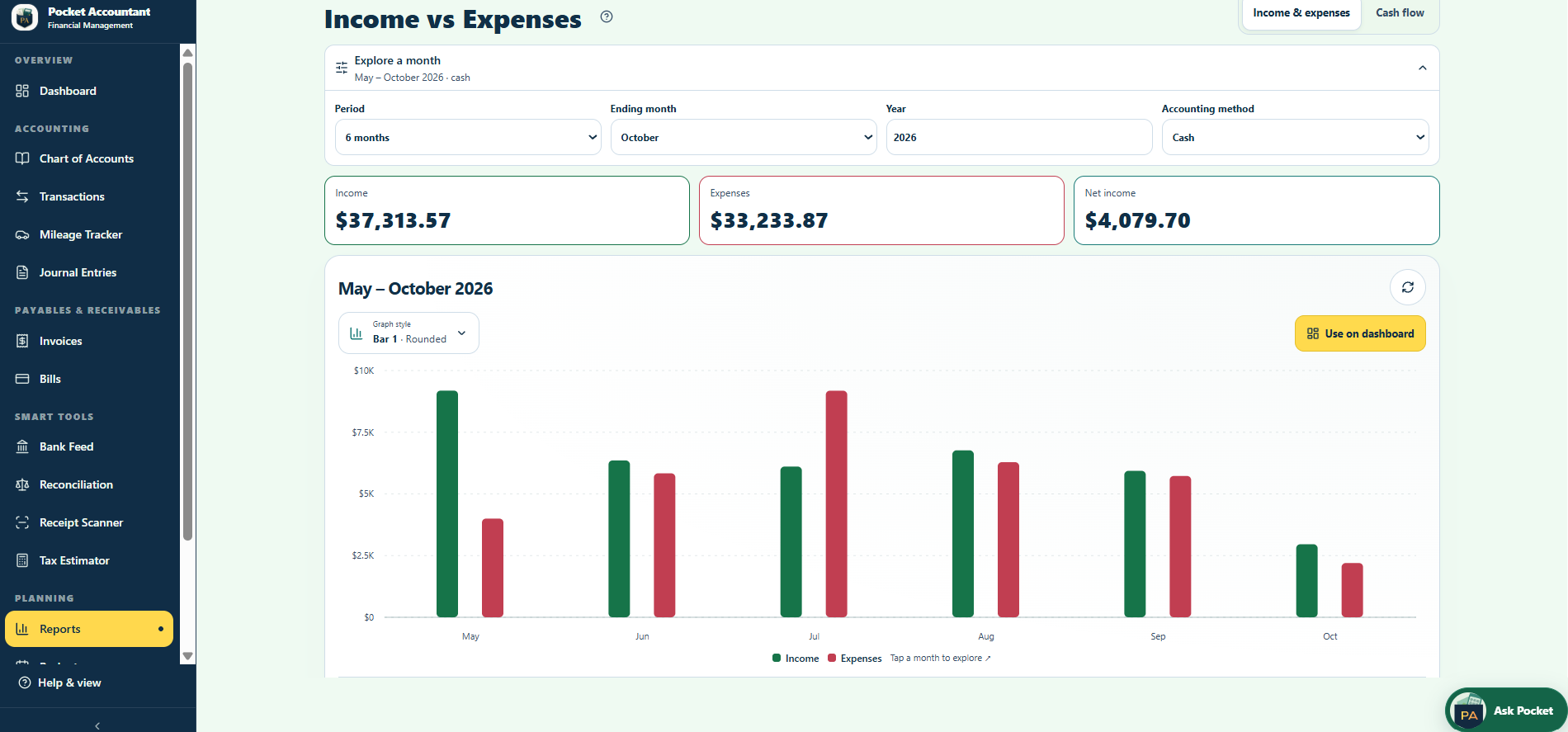
Know what came in, what went out, and what’s left.
A clearer picture starts with the details.
Review suggestions and approve changes.
Your decisions stay in your hands.
Keep the everyday essentials together.
Choose connected tools when you’re ready for more.
A payment, a purchase, a transfer. Give each one the right place in your books. Review imported activity and suggested categories before you post.
Explore transaction review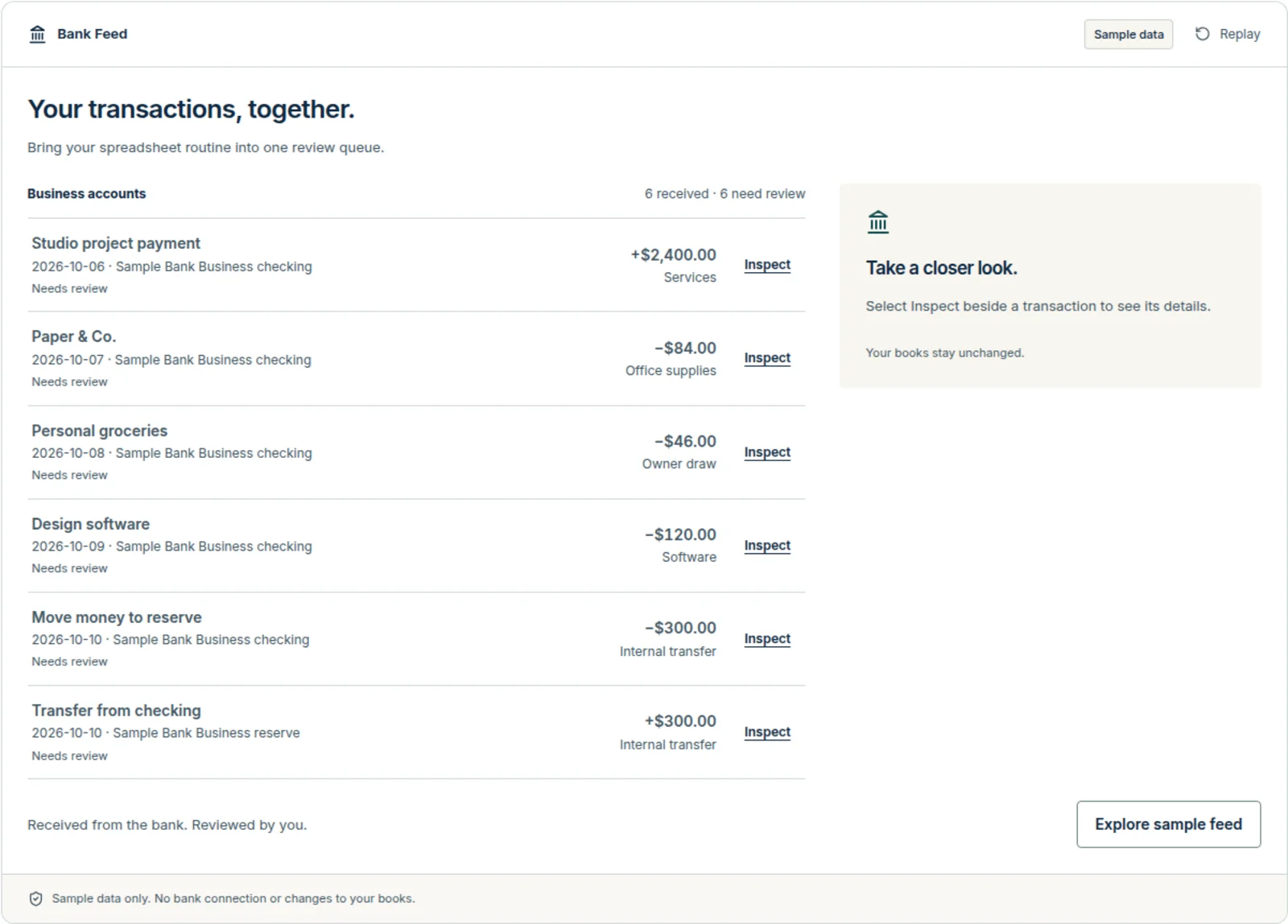

Record income and expenses, create invoices, organize bills, and log business mileage. Start with the records you have and build a routine that fits your day.
Start with StarterEveryday records, one connected workspace.
Keep everyday transactions and money categories organized in one place.
Keep customer details, vendor bills, due dates, and payment records close.
Log your business trips manually with Starter. Pro adds route planning tools.
Real tools. Sample data. A place to try things out.
Start with a free workspace.
Build your business with a clearer picture.
Receipts in your truck, camera roll, and email? Bring the details into one workspace. Start with manual bookkeeping on Starter at $0. Pro adds connected tools for $20/month or $198/year.
Bring supported QuickBooks CSV or spreadsheet report exports for review. You can also upload mapped CSV/XLSX journals or a Pocket Accountant archive. QuickBooks company and backup files are not supported. Review mappings and validation before posting. Imported journals do not recreate invoices, bills, payroll, or bank connections.
Read the switching and import guidancePocket Accountant is operated by V Investment Capital LLC. You can enable multi-factor authentication, review suggestions before applying them, and export records before requesting account deletion.
Who operates Pocket Accountant · Read the security and privacy answersYes, Starter is $0 and includes core bookkeeping tools.
No, you can enter your records manually without connecting a bank.
You can start with everyday records. If you’re unsure how to classify something, ask for guidance before finalizing it.
You stay in control. Review its suggestions before applying them to your records.
Yes, you can use the web app on Android, and the Android app uses the same Pocket Accountant account.
Pocket Accountant accepts supported QuickBooks CSV or spreadsheet report exports, mapped CSV/XLSX journals, and Pocket Accountant archives. It does not import QuickBooks company or backup files or recreate a complete QuickBooks history. Review column and account mappings and validation before posting. Imported journals do not recreate invoices, bills, payroll or bank connections. Keep an export of your existing records. Agree on a starting date and opening balances with your accountant before entering records here. A Pro bank connection is not a transfer of your old books. Try Starter with a few records before deciding whether it fits; no migration date or automatic transfer is promised.